VAIO® TZ Series Notebook - Premium Model : Price ~ $3,699.99
Genuine Windows Vista® Business
Series Features: 11.1" LCD XBRITE-HiColor™, Sprint® Mobile Broadband Wireless WAN, 1.3M camera, Bluetooth®, fingerprint sensor
Upgrade Features: Hybrid 64GB Solid State Drive, 250GB hard drive, external DVD±R/RW DL optical drive
Features
Be the envy of your next business meeting. The sleek and incredibly portable VAIO® TZ notebook, with its premium carbon fiber finish is a real attention-grabber. The razor-thin 11.1" LCD panel displays DVDs in beautiful color and showcases Microsoft® Windows Vista® Business with style and class. And when you're on the go, the integrated WWAN will keep you connected via the lightning-quick Sprint Mobile Broadband Service. Included in this power-packed notebook PC is a 64GB Solid State Drive for rapid boot-ups and a 250GB hard drive for storing all of your files and media with ease. A leather protective case and a speedy external DVD±R double layer/DVD±RW drive are also included.
Maximum mobile performance
Cutting-edge mobile performance with an Intel® Core™ 2 Duo processor14 U7700 that provides the power of a larger PC in an ultra-portable form factor.
Pre-installed with Microsoft® Windows Vista® Business/XP Professional downgrade.
Featuring a 64GB2 Solid State Drive (SSD) for rapid boot-ups, quicker application launches and greater durability. A 250GB Hard Drive is also included to provide ample room for storage2.
Peace-of-mind security features include biometric fingerprint sensor and Trusted Platform Module.
Built-in highly miniaturized MOTION EYE® camera built into the razor-thin LCD panel for video conferencing with colleagues, friends and family16.
Sleek and ultra-portable design
Sleek, durable and ultra-portable at 2.65 lbs15 (with standard battery) and less than 1" thin3.
Exquisite premium carbon-fiber casing provides enhanced durability, lighter weight and an elegant look.
11.1" WXGA widescreen display12 with XBRITE-HiColor™ LCD technology delivers brilliant colors and razor-sharp detail.
Get up to 4 to 8.5 hours of standard battery life8 for increased productivity on-the-go.
Includes an elegant leather protection case that matches the sleek look of your TZ notebook and an external DVD±R DL/DVD±RW optical drive6.
Innovative keyboard design was created for ease of use and a smart, sophisticated look.
Wireless freedom
Integrated Wireless Wide Area Network (WWAN) technology17 through Sprint® Mobile Broadband service with EVDO Revision A technology for blazing-fast wireless access beyond LAN networks and hotspots.
Next generation 802.11a/b/g/n wireless LAN technology4 offers a massive boost in wireless connection speed and range.
Integrated Bluetooth® technology lets you wirelessly connect compatible peripherals like speakers, mice and headphones.
Energy efficient
The VAIO® TZ notebook holds an environmental rating of Silver from EPEAT™.
The VAIO® TZ notebook is ENERGY STAR qualified, which means that it uses less power and reduces greenhouse gas emissions by meeting strict enrgy efficiency guidelines set by the Environmental Protection Agency and Department of Energy.
Product Specifications
License Agreements
End User License Agreements
Weights and Measurements
Weight (Approx.) : 2.65 lbs15 with standard battery
Dimensions (Approx.) : 10.9"(W) 0.8" - 1.17"(H) 7.8"(D)15
Hard Drive
Capacity : 250GB2
Interface : Serial ATA
Speed : 5400rpm
Hardware
Keyboard : QWERTY (82 keys with 1.7mm stroke and 17mm pitch)
Camera : Built-in MOTION EYE® camera and microphone
General
Computer Type : Notebook
Type of Use : Ultra Portable
Action Buttons : AV Mode (DVD/CD Instant On without booting up the operating system) Play/Pause, Stop, Rewind, Fast Forword, Eject, Wireless On/Off
Pointing Device : Electro-Static touch pad
Security : Biometric Fingerprint Sensor Trusted Platform Module (TPM) TCG Ver.1.2 compliant
Power
Battery Type : Standard Capacity Lithium-ion Battery (VGP-BPL11)
Estimated Battery Life : 4.5-9.0 hours8 (Standard Capacity Battery) 7.0-13.5 hours8 (Large Capacity Battery)
Power Requirements : 68W+10%
Solid State Drive
Capacity : 64GB2
Interface : Ultra ATA
Expansion Slots
Multimedia Card Reader : Memory Stick PRO™/Memory Stick Duo™ (with MagicGate® functionality) One Secure Digital (SD™ media card) Slot One ExpressCard® /34 Slot
Service and Warranty Information
Limited Warranty : 1 Year9
Telephone Support : 1 year (toll-free assistance, available 24-hours, 7-days-a-week)10
Online and Email Support : Support available from http://www.esupport.sony.com/EN/VAIO
Audio
Sound System : Windows® sound system compatible Dolby® Headphone Dolby® Virtual Speaker Built-in stereo speakers
Graphics
Processor : Intel® Graphics Media Accelerator 950 with Total Available Graphics Memory 256MB (max.)13
Chipset : Intel® 945GMS
Interface : VGA out w/ Smart Display Sensor
Processor
Type : Intel® Core™ 2 Duo Processor U7700
Speed : 1.33GHz1
Front Side Bus Speed : 533MHz
L2 Cache : 2MB
Technology : Intel® Centrino® Processor Technology14
Networking/Modem
Ethernet Protocol : Fast Ethernet (RJ-45)
Ethernet Speed : 10Base-T/100Base-TX/1000Base-T
Modem Type : Integrated V.92/V.90 modem (RJ-11)
Wireless LAN : Intel® PRO/Wireless 4965AGN Network Connection (802.11a/b/g/n)4
Bluetooth® Technology : Integrated Bluetooth® Technology5
Wireless WAN : Optional Sprint® Mobile Broadband service17
Software
Operating System : Microsoft® Windows Vista® Business/XP Professional downgrade
Internet Services : AOL® 90-Day Risk Free Trial - New Users Only
Anti-Virus and Recovery Software : Norton 360™ All-In-One Security 60-day Trial
Supplied Software : Microsoft® Works SE 9.0 w/ 60-Day Trial Version of Microsoft® Office Small Business 200711
Sony® Original Software : Click to Disc™ - DVD Creation SmartWi™ Technology LocationFree® Player Software *Please access VAIO® Help and Support from your PC for a complete list of software and trial applications.
Display
Screen or Display Technology : WXGA LCD
Screen Size : 11.1" Razor-Thin Panel12 LED backlight for brilliant colors and clarity
Resolution : 1366x768
XBRITE-HiColor™ Technology : Yes
Inputs and Outputs
Ethernet Port : 1
Headphone Jack : 1
Modem Jack : 1
Microphone Input : 1
i.LINK® Interface : 1 (4-pin) interface7 (IEEE 1394)
Memory Stick® Media Slot : 1
Secure Digital Slot : 1
Port Replicator Connector(s) : 1 (Bottom)
USB Port(s) : 2 (2.0 compliant)
DC-In : 1
VGA Output(s) : 1
Memory
Type : DDR2
Installed : 2GB (2GBx1)
Maximum : 2GB
Speed : 533MHz
VAIO TZ Series Notebook : VGN-TZ298N/XC
VAIO TZ Series Notebook PC spec price : VGN-TZ295N/XC

VAIO® TZ Series Notebook PC
Price : ~ $3,499.99
Intel® Core™ 2 Duo Processor U7700 (1.33 GHz, 2MB L2 Cache)
Genuine Windows Vista® Business
Series Features: 11.1" LCD with XBRITE-HiColor™, Sprint® Mobile Broadband Wireless WAN, 1.3M camera, Bluetooth®, fingerprint sensor
Upgrade Features: 64GB Solid State Drive (SSD), premium carbon fiber casing and leather case
Features
Reap the benefits of a Solid State Drive. Performance is taken to the next plateau with faster and more reliable solid state drive on this premium carbon fiber VAIO® TZ notebook. The included leather case will protect the ultra-portable notebook-weighing in at 2.65 lbs with 4 to 8.5 hours of standard battery life and durable, lightweight casing. And with an Intel® Core™2 Duo processor, Bluetooth® technology and integrated Wireless WAN using optional Sprint® Mobile Broadband Service, you'll be able to stay connected and productive when on the go. An 11.1" display with XBRITE-HiColor™ LCD technology delivers stunning clarity and true-to-life color, which is great for viewing movies on long flights. You can also create and record up to 8.5GB of data with the DVD+R Double Layer/DVD±RW drive.
Maximum mobile performance
Cutting-edge mobile performance with an Intel® Core™ 2 Duo processor14 that provides the power of a larger PC in an ultra-portable form factor.
Featuring a 64GB Solid State Drive (SSD) for rapid boot-ups, quicker application launches and greater durability.
Advanced DVD±R Double Layer/DVD±RW drive6 for enhanced storage and multimedia capabilities.
Built-in highly miniaturized MOTION EYE® camera built into the razor-thin LCD panel for video conferencing with colleagues, friends and family16.
Sleek and ultra-portable design
Sleek, durable and ultra-portable at 2.65 lbs15 (with standard battery) and less than 1" thin3.
An improved lightweight and especially robust premium carbon-fiber casing provides enhanced durability, lighter weight and a sleek look.
11.1" WXGA widescreen display12 with XBRITE-HiColor™ LCD technology delivers brilliant colors and razor-sharp detail.
Get up to 4.5 to 8.5 hours of standard battery life8 for increased productivity on-the-go.
Includes an elegant leather protection case that matches the sleek look of your TZ notebook.
Wireless freedom
Integrated wireless Wide Area Network (WAN) technology17 through Sprint Mobile Broadband service with EVDO Revision A technology for blazing-fast wireless access beyond LAN networks and hotspots.
Next generation 802.11a/b/g/n wireless LAN technology4 offers a massive boost in wireless connection speed and range.
Product Specifications
License Agreements
End User License Agreements
Weights and Measurements
Weight (Approx.) : 2.65 lbs15 with standard battery
Dimensions (Approx.) : 10.9"(W) 0.8" - 1.17"(H) 7.8"(D)15
Hardware
Keyboard : QWERTY (82 keys with 1.7mm stroke and 17mm pitch)
Camera : Built-in MOTION EYE® camera and microphone
General
Computer Type : Notebook
Type of Use : Ultra Portable
Action Buttons : AV Mode (DVD/CD Instant On) Play/Pause, Stop, Rewind, Fast Forword, Eject, Wireless On/Off
Pointing Device : Electro-Static touch pad
Security : Biometric Fingerprint Sensor Trusted Platform Module (TPM) TCG Ver.1.2 compliant
Power
Battery Type : Standard Capacity Lithium-ion Battery (VGP-BPL11)
Estimated Battery Life : 4.5-8.5 hours8 (Standard Capacity Battery) 7.0-13.0 hours8 (Large Capacity Battery)
Power Requirements : 68W+10%
Solid State Drive
Capacity : 64GB2
Interface : Ultra ATA
Expansion Slots
Multimedia Card Reader : Memory Stick PRO™ (with MagicGate® functionality) Media Slot One Secure Digital (SD™ memory card) Media Slot One ExpressCard® /34 Slot
Service and Warranty Information
Limited Warranty : 1 Year9
Telephone Support : 1 year (toll-free assistance, available 24-hours, 7-days-a-week)10
Online and Email Support : Support available from http://www.esupport.sony.com/EN/VAIO
Audio
Sound System : Windows® sound system compatible Dolby® Headphone Dolby® Virtual Speaker Built-in stereo speakers
Optical Drive #1
DVD±RW : Yes6 (DVD±R DL/DVD±RW/DVD-RAM Drive)
CD Read : 24x max.
CD-R Write : 24x max.
CD-RW Write : 16x max.
DVD Read : 8x max.
DVD+R DL Write : 4x max.
DVD+R Write : 8x max.
DVD+RW Write : 8x max.
DVD-R Write : 8x max.
DVD-RW Write : 6x max.
DVD-R DL Write : 4x max.
DVD-RAM Read : 5x max.
DVD-RAM Write : 5x max.
Graphics
Processor : Intel® Graphics Media Accelerator 950 with Total Available Graphics Memory of 256MB (max.)13
Chipset : Intel® 945GMS
Interface : VGA out w/ Smart Display Sensor
Processor
Type : Intel® Core™ 2 Duo Processor U7700
Speed : 1.33GHz1
Front Side Bus Speed : 533MHz
L2 Cache : 2MB
Technology : Intel® Centrino® Processor Technology14
Networking/Modem
Ethernet Protocol : Fast Ethernet (RJ-45)
Ethernet Speed : 10Base-T/100Base-TX/1000Base-T
Modem Type : Integrated V.92/V.90 modem (RJ-11)
Wireless LAN : Intel® PRO/Wireless 4965AGN Network Connection (802.11a/b/g/n)4
Bluetooth® Technology : Integrated Bluetooth® Technology5
Wireless WAN : Sprint® Mobile Broadband service17
Software
Operating System : Genuine Microsoft® Windows Vista® Business/XP Professional downgrade
Internet Services : AOL® 90-Day Risk Free Trial - New Users Only
Anti-Virus and Recovery Software : Norton 360™ All-In-One Security 60-day Trial
Supplied Software : Microsoft® Works SE 9.0 w/ 60-Day Trial Version of Microsoft® Office Small Business 200711
Sony® Original Software : Click to Disc® - DVD Creation SmartWi™ Technology LocationFree Player® Software *Please access VAIO® Help and Support from your PC for a complete list of software and trial applications.
Display
Screen or Display Technology : WXGA LCD
Screen Size : 11.1" Razor-Thin Panel12 LED backlight for brilliant colors and clarity
Resolution : 1366x768
XBRITE-HiColor™ Technology : Yes
Inputs and Outputs
Ethernet Port : 1
Headphone Jack : 1
Modem Jack : 1
Microphone Input : 1
i.LINK® Interface : 1 (4-pin) interface7 (IEEE 1394)
Memory Stick® Media Slot : 1
Secure Digital Slot : 1
Port Replicator Connector(s) : 1 (Bottom)
USB Port(s) : 2 (2.0 compliant)
DC-In : 1
VGA Output(s) : 1
Memory
Type : DDR2
Installed : 2GB (2GBx1)
Maximum : 2GB
Speed : 533MHz
Vaio spec price and review : VGN-TZ2500 Premium

Ultra-portable, ultra-sleek, ultra-powerful
MAXIMUM MOBILE PERFORMANCE
Cutting-edge mobile performance with an Intel® Core™ 2 Duo
processor that provides the power of a larger PC in an ultra-portable
form factor.
Featuring a 64GB Solid State Drive (SSD) for rapid boot-ups, quicker
application launches and greater durability.
Choose between an optional integrated DVD±R Double Layer/DVD±RW
drive or integrated 250GB Hard Drive for enhanced storage and
multimedia capabilities.
Built-in highly miniaturized MOTION EYE® camera built into the razor-thin
LCD panel for video conferencing with colleagues, friends and family .
SLEEK AND ULTRA-PORTABLE DESIGN
Sleek, durable and ultra-portable at 2.65 lbs (weight will vary based
on configuration) and less than 1" thin .
An improved lightweight casing provides enhanced durability, lighter
weight and a sleek look.
11.1" WXGA widescreen display with XBRITE-HiColor™ LCD technology
delivers brilliant colors and razor-sharp detail.
Get up to 4.5 to 8.5 hours of standard battery life for increased
productivity on-the-go.
Available in three colors: Premium Black Carbon Fiber, Handmade
Bordeaux Red or standard Black.
WIRELESS FREEDOM
Integrated wireless Wide Area Network (WAN) technology through
optional Sprint Mobile Broadband service with EVDO Revision A
technology for blazing-fast wireless access beyond LAN networks and
hotspots.
Next generation 802.11a/b/g/n wireless LAN technology offers a
massive boost in wireless connection speed and range.
At 2.65 lbs (weight will vary slightly based on configuration) with 4.5 to 8.5
hours of standard battery life , 64GB Solid State Drive and choice of three
colors, the VAIO® TZ notebook is built for ultra-portable performance. And
with an 11.1” display with XBRITE-HiColor™ LCD technology, an Intel®
Core™ 2 Duo processor and integrated wireless Wide Area Network
(WAN) technology through optional Sprint® Mobile Broadband Service ,
you’ll be able to stay connected and productive wherever you find
yourself.
14
6
16
15
| Specifications General Computer Type: Notebook Type of Use: Ultra Portable Action Buttons: AV Mode (DVD/CD Instant On) Play/Pause, Stop, Rewind, Fast Forword, Eject, Wireless On/Off Pointing Device: Electro-Static touch pad Security: Biometric Fingerprint Sensor Trusted Platform Module (TPM) TCG Ver.1.2 compliant Hardware Keyboard: QWERTY (82 keys with 1.7mm stroke and 17mm pitch) Camera: Built-in MOTION EYE® camera and microphone Processor Type: Intel® Core™ 2 Duo Processor U7700 Speed: 1.33GHz Front Side Bus Speed: 533MHz L2 Cache: 2MB Technology: Intel® Centrino® Processor Technology Memory Type: DDR2 Installed: 2GB (2GBx1) or 1GB (1GBx1) Maximum: 2GB Speed: 533MHz Hard Drive Capacity: 250GB (option available based on configuration) Speed: 5400rpm Interface: Serial ATA Optical Drive #1 DVD+R DL Write: 4x max. DVD+R Write: 8x max. DVD+RW Write: 8x max. DVD-R Write: 8x max. DVD-RW Write: 6x max. CD-R Write: 24x max. CD-RW Write: 16x max. DVD±RW: Option available based on configuration (DVD±R DL/DVD±RW/DVD-RAM Drive) CD Read: 24x max. DVD Read: 8x max. DVD-RAM Write: 5x max. DVD-R DL Write: 4x max. DVD-RAM Read: 5x max. Expansion Slots Multimedia Card Reader: Memory Stick PRO™ (with MagicGate® functionality) Media Slot One Secure Digital (SD™ memory card) Media Slot One ExpressCard® /34 Slot Solid State Drive Capacity: Ultra ATA Audio Sound System: Windows® sound system compatible Dolby® Headphone Dolby® Virtual Speaker Built-in stereo speakers Display Screen or Display Technology: WXGA LCD Screen Size: 11.1" Razor-Thin Panel LED backlight for brilliant colors and clarity Resolution: 1366x768 XBRITE-HiColor™ Technology: Yes Graphics Processor: Intel® Graphics Media Accelerator 950 with Total Available Graphics Memory of 251MB (max.) with 1GB Memory or Total Available Graphics Memory of 256MB (max.) with 2GB Memory | Inputs and Outputs Ethernet Port: 1 Headphone Jack: 1 i.LINK® Interface: 1 (4-pin) interface (IEEE 1394) Memory Stick® Media Slot: 1 Modem Jack: 1 Secure Digital Slot: 1 Microphone Input: 1 Port Replicator Connector(s): 1 (Bottom) USB Port(s): 2 (2.0 compliant) VGA Output(s): 1 DC-In: 1 Networking/Modem Ethernet Protocol: Fast Ethernet (RJ-45) Ethernet Speed: 10Base-T/100Base-TX/1000Base-T Modem Type: Integrated V.92/V.90 modem (RJ-11) Wireless LAN: Intel® PRO/Wireless 4965AGN Network Connection (802.11a/b/g/n) Wireless WAN: Optional Sprint® Mobile Broadband service Bluetooth® Technology: Integrated Stereo A2DP Bluetooth® Technology Power Battery Type: Standard Capacity Lithium-ion Battery (VGP-BPL11) or Large Capacity Lithium-ion Battery (VGP-BPX11) Estimated Battery Life: 4.5-8.5 hours (Standard Capacity Battery) 7.0-13.0 hours (Large Capacity Battery) Power Requirements: 68W+10% Software Operating System: Genuine Microsoft® Windows Vista® Business or Home Premium Internet Services: AOL® 90-Day Risk Free Trial - New Users Only Supplied Software: Microsoft® Works SE 9.0 w/ 60-Day Trial Version of Microsoft® Office Home and Student 2007 or Small Business 2007 Sony® Original Software: Click to Disc™ Editor - DVD Creation SmartWi™ Technology *Please access VAIO® Help and Support from your PC for a complete list of software and trial applications. Service and Warranty Information Limited Warranty: 1 Year Telephone Support: 1 year (toll-free assistance, available 24-hours, 7-days-a-week) Online and Email Support: Support available from http://www.esupport.sony.com/EN/VAIO Dimensions Weight: 2.65 lbs (weight will vary based on configuration) Measurements: 10.9"(W) 0.8" - 1.17"(H) 7.8"(D) Supplied Accessories Standard Capacity Lithium-ion Battery (VGP-BPL11) or Large Capacity Battery (VGP-BPX11) AC Adapter (VGP-AC16V13) Power Cord Cleaning Cloth External DVD±R DL/DVD± RW Drive (depending on configuration) Optional Accessories Port Replicator (VGP-PRTZ1) Large Capacity Battery (VGP-BPX11) Standard Battery (VGP-BPL11) Stick AC Adapter (VGP-AC16V10) Additional AC adapter(VGP-AC16V13) Bluetooth® Presentation Controller (VGP-BRMP10) Privacy Filter (VGP-FL13) |
Vaio spec&review : VGN-TZ2000
Ultra-portable, ultra-sleek, ultra-powerful
EVERYDAY PC PERFORMANCE AND PREMIUM MOBILITY
The VAIO® TZ is a slim, lightweight PC wrapped in cutting-edge carbon-fiber
casing that measures less than 1" thin , with a superb 11.1" razor-thin
widescreen display using XBRITE-HiColor™ technology while weighing a
very feathery 2.7lbs .
Enjoy powerful performance with an Intel® Core™ 2 Duo U7700 (1.30GHz )
or U7600 processor (1.20GHz ) with 2MB L2 cache.
The VAIO® TZ comes pre-installed with Genuine Microsoft® Windows Vista®
Business or Home Premium.
Fingerprint biometrics makes authentication and access quick and easy -
you only need your fingerprint.
Go farther, do more, and stay connected with VAIO® TZ integrated wireless
Wide Area Network (WAN) technology and with optional Sprint Mobile
Broadband Service, extend your wireless coverage beyond LAN access
networks and wireless hotspots.
VIBRANT GRAPHICS AND RICH SOUND
Watch your movies with stunning clarity on the 11.1" widescreen display
using XBRITE-HiColor™ technology, so you can see deeper blacks,
brighter whites, true-to-life color, and razor-sharp detail from almost any
angle.
EASY COMMUNICATION AND STUNNING MULTIMEDIA
Stay connected to colleagues, friends and family in the office or on the
road with real-time video conferencing using an integrated MOTION EYE®
camera and microphone.
Extend the reach of your TZ notebook with Stereo A2DP Bluetooth®
technology that is ideal for advanced wireless communication and
streaming uncompromised CD-quality stereo music to Bluetooth® speakers
or headphones (sold separately).
With Click to Disc™ Editor software and the advanced DVD+R Double Layer
drive, presenting your digital video content in a professional-looking
package is quick and easy.
Rest assured with the VAIO® TZ's ENERGY STAR qualification. By meeting
strict energy guidelines, know that the TZ notebook will not only save you
money on energy costs but you are also supporting a product that helps
protect the environment.
At 2.7lbs with 4.5 to 8.5 hours of standard battery life and durable carbonfiber
casing, the VAIO® TZ notebook is built for ultra-portable performance.
And with an 11.1" display with XBRITE-HiColor™ LCD technology, an Intel®
Core™ 2 Duo processor and advanced wireless technologies, you'll be
able to stay connected and productive virtually anywhere.


| Specifications General Computer Type: Notebook Type of Use: Ultra Portable Action Buttons: AV Mode (DVD/CD Instant On) Play/Pause, Stop, Rewind, Fast Forword, Eject, Wireless On/Off Pointing Device: Electro-Static touch pad Security: Biometric Fingerprint Sensor Trusted Platform Module (TPM) TCG Ver.1.2 compliant Hardware Keyboard: QWERTY (82 keys with 1.7mm stroke and 17mm pitch) Camera: Built-in MOTION EYE® camera and microphone Processor Type: Intel® Core™ 2 Duo Processor U7700 (Configuration 1) or Intel® Core™ 2 Duo Processor U7600 (Configuration 2) Speed: 1.30GHz (Configuration 1) or 1.20GHz (Configuration 2) Front Side Bus Speed: 533MHz L2 Cache: 2MB Technology: Intel® Centrino® Processor Technology Memory Type: DDR2 Installed: 2GB (2GBx1) or 1GB (1GBx1) Maximum: 2GB Speed: 533MHz Hard Drive Capacity: 80GB , 100GB , or 120GB Speed: 4200rpm Interface: Ultra ATA Impact Protection: G-Sensor™ Shock Protection - Hard Disk Drive Protection Optical Drive #1 DVD+R DL Write: 4x max. DVD+R Write: 8x max. DVD+RW Write: 8x max. DVD-R Write: 8x max. DVD-RW Write: 6x max. CD-R Write: 24x max. CD-RW Write: 16x max. DVD±RW: Yes (DVD±R DL/±RW/-RAM Drive) CD Read: 24x max. DVD Read: 8x max. DVD-RAM Write: 5x max. DVD-R DL Write: 4x max. DVD-RAM Read: 5x max. Expansion Slots Multimedia Card Reader: Memory Stick PRO™ Slot (with MagicGate® functionality) One Secure Digital (SD™ memory card) Slot One ExpressCard® /34 Slot Audio Sound System: Windows® sound system compatible Dolby® Headphone Dolby® Virtual Speaker Built-in stereo speakers Display Screen or Display Technology: WXGA LCD Screen Size: 11.1" Razor-Thin Panel LED backlight for brilliant colors and clarity Resolution: 1366x768 XBRITE-HiColor™ Technology: Yes | Graphics Processor: Intel Graphics Media Accelerator 950 with Total Available Graphics Memory: 251MB (max.) with 1GB memory or Total Available Graphics Memory: 256MB (max.) with 2GB memory Chipset: Mobile Intel® 945GMS Express Chipset Interface: VGA out w/ Smart Display Sensor Inputs and Outputs Ethernet Port: 1 Headphone Jack: 1 i.LINK® Interface: 1 (4-pin) interface (IEEE 1394) Modem Jack: 1 Microphone Input: 1 Port Replicator Connector(s): 1 (Bottom) USB Port(s): 2 (2.0 compliant) VGA Output(s): 1 DC-In: 1 Networking/Modem Ethernet Protocol: Fast Ethernet (RJ-45) Ethernet Speed: 10Base-T/100Base-TX/1000Base-T Modem Type: Integrated V.92/V.90 modem (RJ- 11) Wireless LAN: Intel® PRO/Wireless 4965AGN Network Connection (802.11a/b/g/n) Wireless WAN: Optional Sprint® Mobile Broadband service Bluetooth® Technology: Integrated Stereo AD2P Bluetooth® Technology Power Battery Type: Standard Capacity Lithium-ion Battery (VGP-BPL11) or Large Capacity Lithiumion Battery (VGP-BPX11) Estimated Battery Life: 4.5-8.5 hours (Standard Capacity Battery) 7.0-13.0 hours (Large Capacity Battery) Power Requirements: 68W+10% Software Operating System: Microsoft® Windows Vista® Business or Home Premium Internet Services: AOL® 90-Day Risk Free Trial - New Users Only Supplied Software: Microsoft® Works SE 9.0 w/ 60-Day Trial Version of Microsoft® Office Home and Student 2007 or Small Business 2007 Sony® Original Software: Click to Disc™ Editor - DVD Creation *Please access VAIO® Help and Support from your PC for a complete list of software and trial applications. Service and Warranty Information Limited Warranty: 1 Year Telephone Support: 1 year (toll-free assistance, available 24-hours, 7-days-a-week) Online and Email Support: Support available from http://www.esupport.sony.com/EN/VAIO Dimensions Weight: 2.65 lbs with standard battery Measurements: 10.9"(W) 0.8" - 1.17"(H) 7.8"(D) Supplied Accessories Standard Capacity Lithium-ion Battery (VGPBPL11) or Large Capacity Lithium-ion Battery (VGP-BPX11) AC Adapter (VGP-AC16V13) Power Cord Cleaning cloth Optional Accessories Large Capacity Battery (VGP-BPX11) Stick AC Adapter (VGP-AC16V10) Additional standard battery (VGP-BPL11) |
Top Problem connecting Wireless not working for Sony Vaio
Problem connecting Sony Vaio all series ro Wireless network. We sum all link or website for problem connecting sony Vaio. You can see link this.
1. Problem connecting Sony Vaio TR5 ro Wireless network
This is Problem :
I have a US Robotics ADSL Gateway installed on my PC.
I have been able to connect a HP laptop to this Network.
I cannot connect my Sony Vaio TR5 to this network using the inbuilt wifi.
I can connect the Vaio to the wireless network if I use a network card so I know the Gateway is working ok.
With the built in wifi on the Vaio the green light is on, it does not flash but I am not sure with this model if it should. I can "see" the gateway (URS9106) but cannot connect to it. I cannot access the PC or internet etc from the Vaio, it continuously says that the wireless network is unavailable.
Have anyone had any experience connecting to a wireless network using a Vaio and its built in wifi? Are there any known compatibility issues?
I am not too sure what to try next as all the settings appear to be correct.
I would appreciate any help you can offer. I have rung Sony and they say to ring US Robotics and US Robotics say to ring Sony!!
2.Wireless not working on my brand new sony vaio!?
This is Problem :
It's definitely the wireless card in the laptop. When I try to repair... the first time it worked but now it just tells my to turn the switch on, but it is (wireless light is not on though)!!3. Vaio wireless lan not working, but Ethernet cable...
This is Problem :
All, The WLAN worked fine , now it won't connect, not sure what happended, can
you guys point me to what I should check ?. The LAN cable works ok
Software vaio : Sony MovieShaker Tutorials
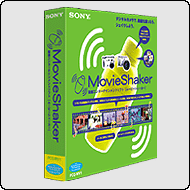
To collect a clip from files, follow the procedure below:
Click Start, point to All Programs, MovieShaker and then click MovieShaker.
Click the Import button - The Import dialog box appears.
Select the images.
Select a file or files to use as a clip and click Open - The Importing File dialog box indicating importing progress appears. When importing is finished, the selected file is added to the Clip tray as a new entry.
NOTE: You can also drag a clip by dragging a file from Windows Explorer, etc, and dropping it onto the Clip tray.
View animated tutorial Back to Top
2. How can I create a movie using the Shake mode in MovieShaker?
To create a movie using the Shake mode, follow the steps below:
On the View menu, click the Shake mode - The Shake Mode window appears.
Click a Shake pattern - The shake pattern sample is played on the Shake tray monitor.
To add text, click the Input button - The Input Text dialog box appears.
Enter text and click OK.
NOTE: Text is also used line by line at random, so some text you have entered may not appear in a shaken scene.
To use BGM for a scene, select the Use BGM check box.
To use the sound of movie clips during shaking, select the Use audio track check box - The sound of movie clips is used for shaking.
Click the Shake button - The dialog box indicating shaking progress appears.
Click the Play button - Playback of the scene begins. You can view it on the Shake tray monitor.
View animated tutorial Back to Top
3. How can I export the final movie product in MovieShaker?
To export the final movie product in MovieShaker, follow the procedure below:
Click the Export button - The Export dialog box appears.
The Export to file check box is selected.
Select the file type from the list.
Click Next.
When the confirmation dialog box appears, click Yes.
The Save as dialog box appears.
Enter a file name.
Click Save.
The dialog box indicating exporting progress appears.
NOTE: If the process requires too much time, you can cancel it. When exporting is finished, the dialog box closes.
The final movie product is exported.
View animated tutorial Back to Top
4. How can I place a clip on the Storyboard?
Select the clips from the Clip tray and place them onto the scene palettes of the Storyboard. To do so:
Drag a thumbnail image from the Clip tray.
Drop it on a Scene palette of the Storyboard - The clip is placed on the Scene Palette.
NOTE:
You can simultaneously place more than one clip on the Scene palettes. The scenes appear in the order in which the clips are placed on the Clip tray.
To select more than clip at the same time, click the desired clips while pressing the Ctrl key. To select a sequential block of clips, click the first clip, and then click the last clip while pressing the Shift key. All clips between ( and including) the first and last clips are placed on the Scene palettes in the order they appeared on the Clip tray.
View animated tutorial Back to Top
5. How can I cut unwanted parts off a scene on the Storyboard?
Drag the Trimming start point knob ( the left side) to specify the starting point. The image displayed on the monitor also changes as the knob is dragged.
Drag the Trimming end point knob ( the right side) to specify the ending point. The image displayed on the monitor also changes as knob is dragged.
NOTE: Select the The Play trimming range check box if it is not selected.
Click the Play button - Only the portion you specified for a movie using the Trimming knobs is played.
View animated tutorial Back to Top
6. How can I place a clip on the Timeline?
Click the Timeline tab.
Drag a thumbnail image from the Clip tray.
Drop it on a Scene track of the Timeline - The clip is placed on the Scene track.
NOTES:
You cannot select both a scene and a piece of BGM at the same time. More than one scene can be selected only on the scene track.
If you select one scene to rearrange the order or remove it, its preceding and subsequent transitions are automatically removed.
If you select multiple scenes simultaneously to remove them, the preceding transition of the first scene, the subsequent transition of the last scene, and all transitions between the selected scenes are removed.
You cannot select more than piece of BGM at the same time. You must select, rearrange, and remove each one individually.
View animated tutorial Back to Top
7. How can I edit on the Timeline?
Click the Scene bar on the Scene track.
Move the mouse pointer to the left end of the selected Scene bar - The pointer changes to a black arrow.
Click the left end of the Scene bar and drag it to the new starting point.
A white line appears in the middle of the black arrow, indicating the end of the scene. The starting point and duration of the scene changes as the arrow is dragged.
Move the pointer to te right end of the selected Scene bar - The pointer changes to a black arrow.
Click the right end of the Scene bar and drag it to the new ending point - A white line appears in the middle of the black arrow, indicating the end of the scene. The ending point and duration of the scene changes as the arrow is dragged.
Make sure that the Play trimming range check box is selected.
Click the Play button - Only the portion to be used in the movie is played.
View animated tutorial Back to Top
8. How can I place a transition effect between scenes on the Storyboard/Timeline?
You can add an effect, such as a cross-fade or wipe effect on a transition palette of the Storyboard or between scenes on the Timeline to provide an interesting transition from one scene to another.
Click the Transition button - The Transition tray appears.
Click the desired transition pattern - The Transition preview monitor shows the contents of the transition. Check how a scene shifts to another.
Set the duration of the transition by dragging the Transition time slider. The possible transition time is between 1 and 5 seconds. The contents of Transition for only the set length of time are displayed on the Transition preview monitor. Use this to check the duration of the transition.
Drag the Transition you want to place on Storyboard or the Timeline.
Drop it on the Transition Palette of the Storyboard or between scenes on the Timeline. The Transition is placed on the Transition Palette or between scenes.
View animated tutorial Back to Top
9. How can I insert a narration into a movie on the Timeline?
By inserting your narrations, such as explanations or comments, etc., you can make your movie more effective. Use the Timeline to insert a narration into a movie.
Move the Timeline knob to the point where narration is to begin.
Click the Narration button - The Narration tray appears.
Select the input device from the drop-down list. The items shown on the list differ depending on your computer. If you are recording the sound from a CD, start the CD player software, and then pause it.
NOTE: You cannot record from a CD if you are using an external CD-ROM drive.
Set the Recording level by dragging the recording level setting slider.
Click the Start Recording button and begin recording the narration from the input device - Recording begins, and the elapsed recording time is displayed.
NOTE: If you are recroding the sound from a CD, click the Start Recording button before playing the CD. ( The CD player software switches from the Pause mode to the Play mode.)
Click the Stop Recording button - Recording stops. The narration is added to the Narration track, and the recorded narration is inserted into the movie.
NOTE: If you are recording the sound from a CD, you may not hear any sound even if you increase the recording level. This depends on the settings of your computer or the setting of the CD player software. For further information, please consult the Readme file of MovieShaker.
View animated tutorial Back to Top
10. How can I apply text effects to a scene on the Storyboard/Timeline?
To apply effects to a scene, perform the following procedure:
Select an image Click the Effect button - The Effect tray appears.
Click an effect - The effect is displayed on the effect preview monitor.
NOTE: You can only apply effects to a scene. You cannot add effects to a clip, a piece of BGM, narration, or to multiple scenes at the same time, or when no scene has been selected.
Drag the effect you want to apply to the scene.
Drop it on the Edit tray monitor.
NOTE: The effect you have dropped is applied to a scene, and the Effect range marker and the Effect knobs appear. You cannot move the effect knobs. The effect appears for the duration of the trimmed portion of a scene. If you select an animation effect, a frame appears on the monitor.
Drag the Effect start point knob ( the left side) to specify the starting point - The image displayed on the monitor also changes as the knob is dragged.
Drag the Effect end point knob ( the right side) to specify the ending point.
Click the Play button.
NOTE: Check if the effect is applied to the scene properly. If not, you can adjust the effect range by moving the Effects knob again.
View animated tutorial Back to Top
11. How can I apply effects to a scene on the Storyboard/Timeline?
To apply effects to a scene, perform the following procedure:
Select an image Click the Effect button - The Effect tray appears.
Click an effect - The effect is displayed on the effect preview monitor.
NOTE: You can only apply effects to a scene. You cannot add effects to a clip, a piece of BGM, narration, or to multiple scenes at the same time, or when no scene has been selected.
Drag the effect you want to apply to the scene.
Drop it on the Edit tray monitor.
NOTE: The effect you have dropped is applied to a scene, and the Effect range marker and the Effect knobs appear. You cannot move the effect knobs. The effect appears for the duration of the trimmed portion of a scene. If you select an animation effect, a frame appears on the monitor.
Drag the Effect start point knob ( the left side) to specify the starting point - The image displayed on the monitor also changes as the knob is dragged.
Drag the Effect end point knob ( the right side) to specify the ending point.
Click the Play button.
NOTE: Check if the effect is applied to the scene properly. If not, you can adjust the effect range by moving the Effects knob again.
Credit : http://www.vaio-link.com/

Sony vaio wallpapers

640x480 800x600 1024x768
1280x800
640x480 800x600 1024x768
640x480 800x600 1024x768 1280x960 1400x1050 1600x1200
640x480 800x600 1024x768
More Wallpapers http://club.vaio.sony.co.uk/clubvaio/gb/en/fun/wallpapers/
Notebook SONY VAIO® BX 14.1" Notebook Series
Sony Recommends Windows Vista® Business
The SONY® VAIO® BX Series Notebook is designed to meet the full range of your business computing needs. AdaptivePlus™ technology incorporates robust flexibility, mobility, security and communication features to deliver the cross-platform performance necessary in today's business landscape. With two display sizes, an array of hardware features to choose from, optional wireless WAN, a host of security features and a choice of operating systems, you'll have the flexibility you need to keep your team productive and your information secure. >>View the Interactive Flash Tour
Mobility Built for performance and portability, the VAIO® BX Series Notebook is ideal for the mobile professional. The BX Series features Intel® Centrino® Duo processor technology, Intel's latest and best notebook technology to date. Powered by an Intel® Core™ 2 Duo processor and an 800MHz Front Side Bus, this fourth generation state-of-the-art technology provides unrivaled performance with improved battery life3. This power is complemented by Intel® Next-Gen Wireless-N technology2, which offers a massive boost in speed and considerably more range than 802.11a/g. To provide even further range, the 14.1" BX Series Notebook, available in a durable lightweight magnesium chassis, offers optional wireless WAN through Sprint® Mobile Broadband Service6, so you can maintain wireless access beyond office networks and hotspots.

 Security Security is a top priority with the VAIO® BX Series Notebook. Both BX Series Notebooks feature an integrated biometric fingerprint sensor, hard drive password protection and a Trusted Platform Module (TPM) chip that is compliant with TCG v1.2b and enables companies to set the level of security on a specific client/user basis. Further, the BX Series Notebook has been tested in accordance with test criteria set by Cisco® and is compatible with Cisco's Aironet 1200AG Series Access Point platform and Cisco's Access Control Server v3.35 (applies to models with Windows XP Professional only).
Communication VAIO® BX Notebooks will keep you wirelessly connected, networked and conferenced in. With lightning-fast Gigabit Ethernet, Intel's latest Next-Gen Wireless-N technology3 (see above for details), optional wireless WAN through Sprint® Mobile Broadband Service6 (14.1" BX Series Notebooks only) and an optional 1.3 megapixel built-in camera for instant real-time video conferencing, you can keep in touch with clients and colleagues in the office or while waiting for your plane.
 Choose your OS, plus Microsoft® Office Ready
Built to integrate easily into your existing platform, VAIO® BX Series notebooks are either pre-installed with Windows Vista® Business or Windows® XP Professional. It's your choice: the enhanced usability, security and mobility features of Windows® Vista® Business or the familiarity of Windows® XP Professional. Plus, BX Series notebooks are Microsoft® Office Ready. This means that they include a pre-installed trial version of Microsoft Office Professional that can easily be converted to a full version by purchasing a license key online or through your PC provider. It's the easiest and most cost-effective way to purchase Microsoft Office.
Footnotes:
1. GB means one billion bytes when referring to hard drive capacity. Accessible capacity may vary. A portion of hard disk space is reserved as a recovery partition.
2. Requires a compatible 802.11n access point. Some functionality may require Internet services, which may require a fee.
3. Actual battery life may vary based on product settings, usage patterns and environmental conditions.
4. Viewable area measured diagonally.
5. Cisco Compatible signifies that Sony's product has undergone interoperability testing by Sony, together with Cisco and a third-party test house, based on testing criteria set by Cisco. Sony is solely responsible for the support and warranty of its product. Cisco makes no warranties, express or implied, with respect to Sony's product or its interoperation with the listed Cisco product and disclaims any implied warranties of merchantability or fitness for a particular use, or against infringement.
6. Subscription with Sprint® Mobile Broadband required. See www.sony.com/sprint for complete offer details, price plans, service terms and conditions, and coverage map. Click the Sprint icon on your BX Series desktop or call 1-877-275-VAIO (8246) for service activation. Sprint Mobile Broadband network reaches over 160 million people. Coverage not available everywhere – see coverage map for details. Requires new activation and one- or two-year subscriber agreement. Credit approval and $200 early termination fee applies. Service defaults to Nationwide Sprint PCS Network, where available, if Sprint Mobile Broadband network is unavailable. Not available while roaming. Terms & Conditions and additional restrictions apply. May not be combinable with other offers. Device model subject to availability.